
Web accessibility means building websites that everyone can use, including people with disabilities (PWDs). This includes folks who use screen readers, keyboard navigation, voice control, magnification, captions, and other assistive technologies. It involves giving equal access to the online world, like:
- News;
- Shopping;
- Learning;
- Booking appointments;
- Paying bills; and,
- Even catching a concert livestream, all without barriers.
The Web Content Accessibility Guidelines (WCAG) are the shared standard for making web content more accessible. They're technical enough for designers and developers but clear enough for teams to make decisions with confidence.
This page tackles what you need to know about WCAG, including its key principles and benefits. Read on to learn how to make your website as accessible as possible to everyone.
What Is WCAG?
WCAG is a set of guidelines published by the World Wide Web Consortium (W3C), specifically the Web Accessibility Initiative (WAI). Organizations worldwide use it to plan, build, and test for accessibility.
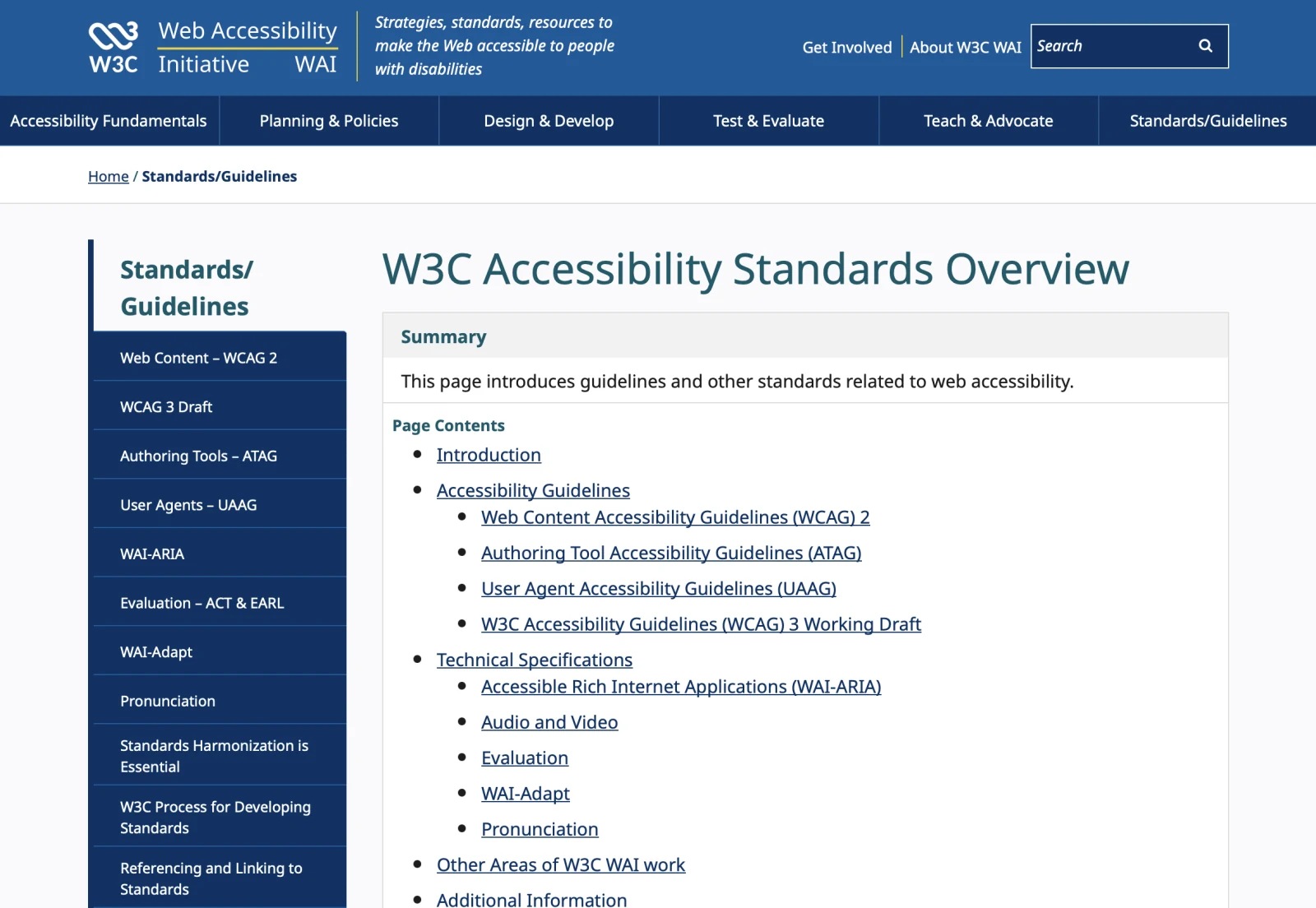
- WCAG 2.0 (2008) set the foundation.
- WCAG 2.1 (2018) expanded guidance for mobile, low vision, and cognitive accessibility.
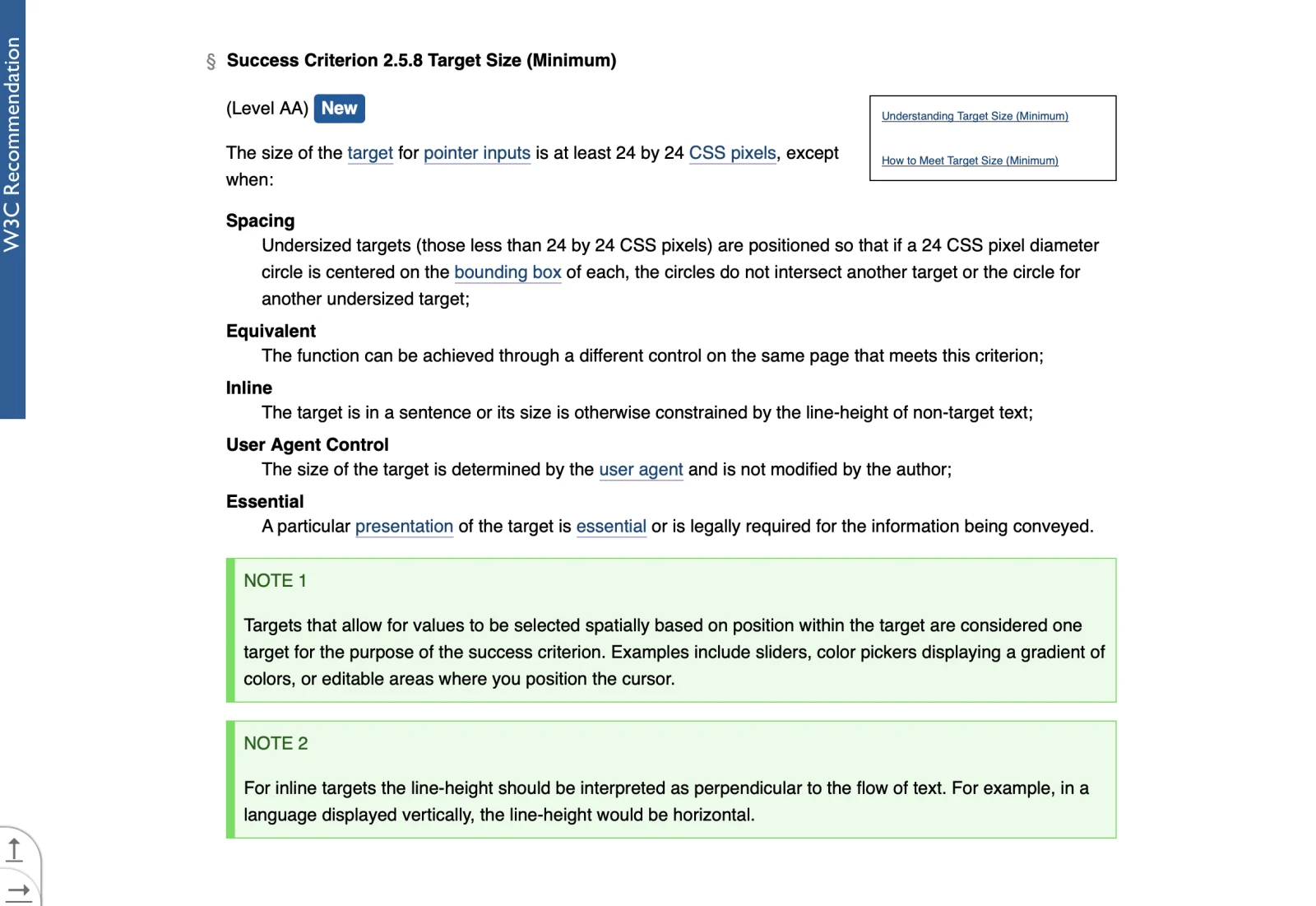
- WCAG 2.2 (2023) added new criteria on focus visibility, target size, and reducing unnecessary data re-entry. You can read the standard on the W3C site: Web Content Accessibility Guidelines (WCAG) 2.2.
- WCAG 3.0 (often called "Silver") is in development and takes a more flexible, outcome-focused approach. Not a replacement yet, but you can follow progress on the W3C WAI site.
Everything in WCAG rolls up to four core principles, often called POUR:
- Perceivable
- Operable
- Understandable
- Robust
If your content fails at any of these, it blocks people. POUR helps you spot where.
Jeffrey Zhou, CEO and Founder of Fig Loans, highlights the value of web accessibility in today's business landscape. He suggests complying with WCAG the way they've started doing so for their lending company website.
Zhou says: "Every click, scroll, and interaction should be available to everyone. WCAG provides a roadmap for creating digital experiences that welcome all users. When we design with accessibility in mind, we're building bridges to opportunity for millions of people who might otherwise be excluded."
Core principles of WCAG
Web accessibility entails keeping structure, logic, and usability in mind, not just the visual design. Whether you're building an eCommerce site or a contract management software platform, WCAG principles ensure every user can navigate, understand, and interact with your content efficiently and effectively.
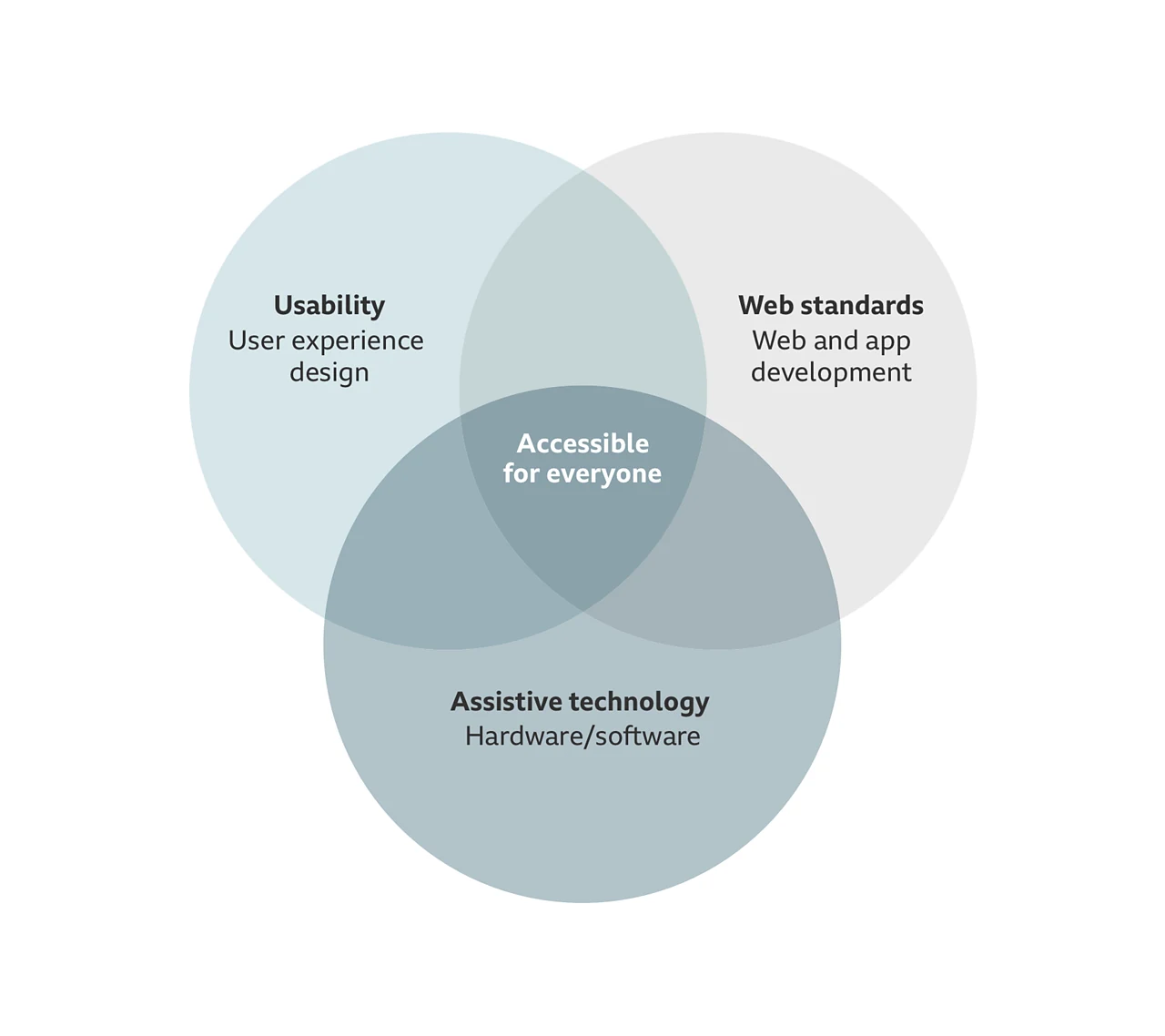
These four foundational principles guide you in creating web experiences that work for everyone:
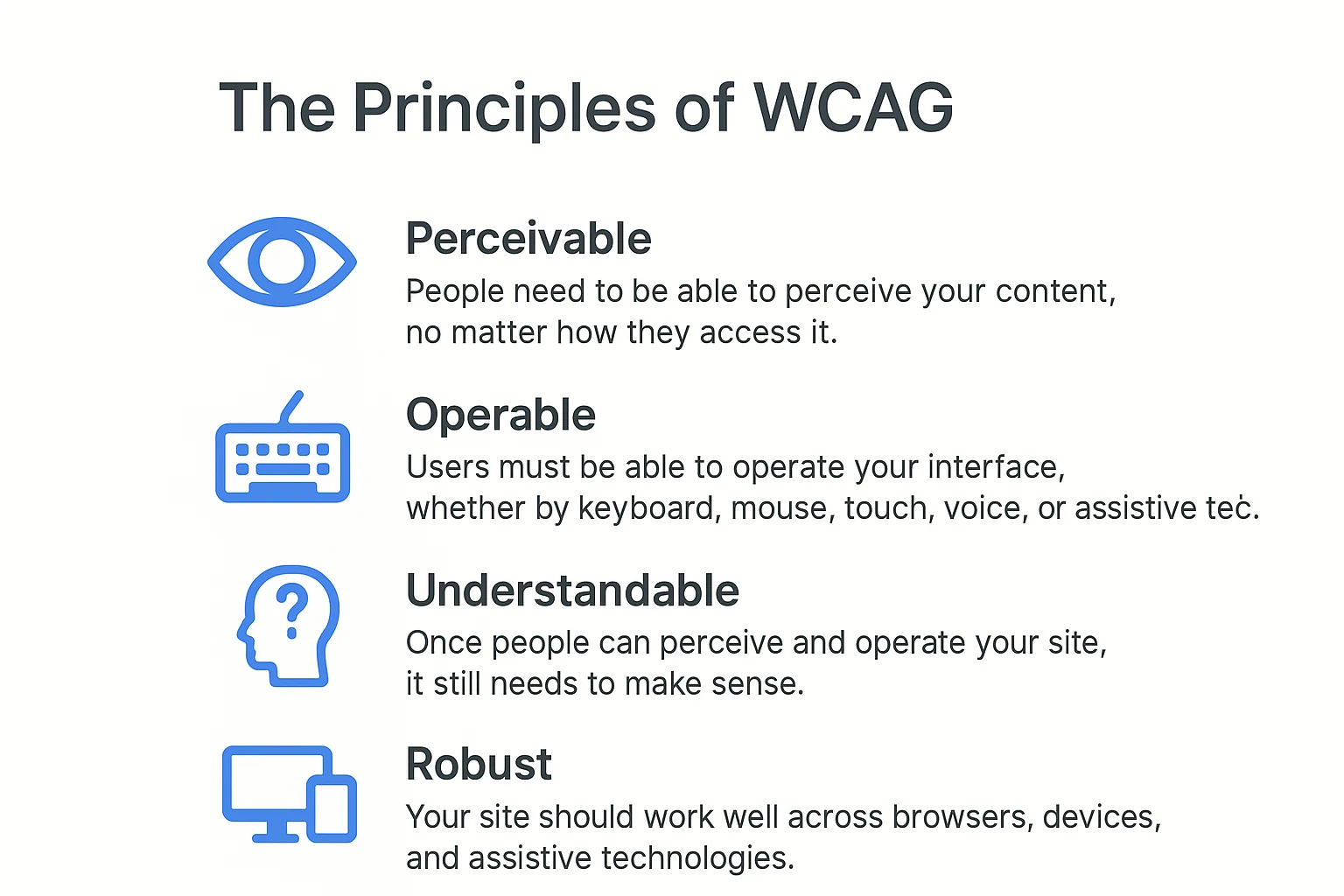
Image source: Generated via ChatGPT
Perceivable
People need to be able to perceive your content, no matter how they access it.
- Provide text alternatives for non-text content. Images should have useful alt text. Icons need labels. Video needs captions; audio needs transcripts.
- Make content adaptable. Use real headings, lists, tables, and landmarks so content can reflow, resize, and reorganize without breaking.
- Make sure the content is distinguishable. Use sufficient color contrast, avoid using color alone to convey meaning, and give users control over audio or motion.
Operable
Users must be able to operate your interface, whether by keyboard, mouse, touch, voice, or assistive tech.
- Make everything keyboard accessible. You should be able to tab through the page logically, see where focus is, and activate controls without a mouse.
- Give people enough time. Avoid short time limits or auto-advancing content that can't be paused.
- Prevent seizures and vestibular triggers. Don't use flashing content or heavy motion without controls. Offer reduced motion settings that respect user preferences.
- Support navigation. Provide clear page titles, skip links, meaningful link text, and consistent navigation.
Understandable
Once people can perceive and operate your site, it still needs to make sense.
- Keep content readable. Use clear language, explain jargon, and break up long paragraphs. Labels and instructions should be obvious.
- Make interactions predictable. Keep navigation, layouts, and behaviors consistent across pages.
- Offer input assistance. Provide helpful error messages, clear validation, and suggestions for corrections. Don't wipe forms when an error occurs.
Robust
Your site should work well across browsers, devices, and assistive technologies.
- Use semantic HTML. Mark up content and controls correctly so user agents and assistive tech can interpret them.
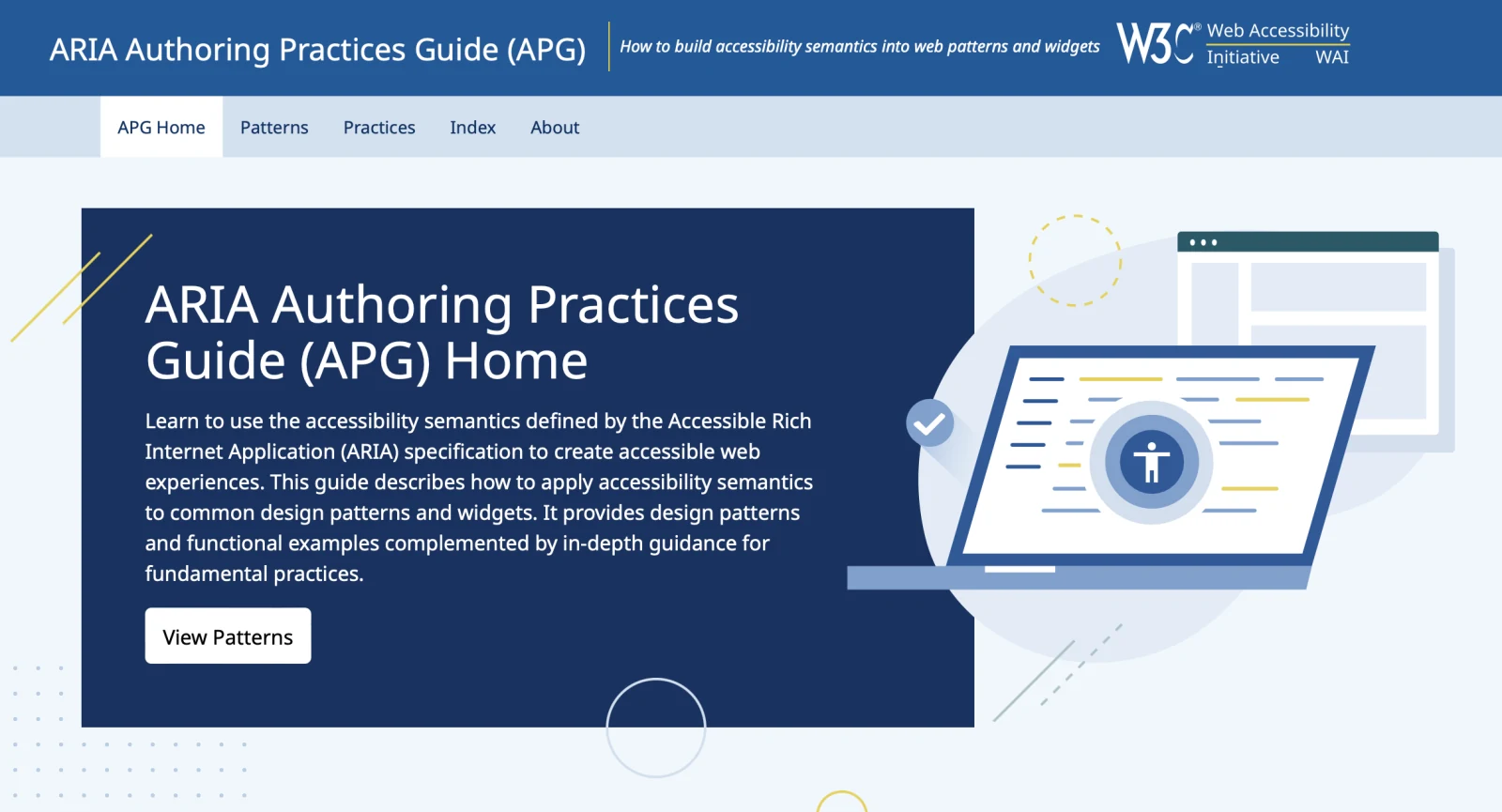
- Follow ARIA best practices when needed. Native HTML controls are better whenever possible. Think "no ARIA is better than bad ARIA." When you do use ARIA, follow the ARIA Authoring Practices.
How To Implement WCAG on Your Website
Putting WCAG into action means combining technical checks with thoughtful design. Start by assessing where your website stands, then use those insights to guide improvements that make every interaction smoother and more inclusive.
Remember, accessibility is an ongoing practice that strengthens your entire digital experience. Here's what you need to do:
1. Conduct an accessibility audit
Begin by evaluating your site's current accessibility status to uncover barriers that might affect users with disabilities. Here's what to examine:
- Automated checks:
- WAVE Web Accessibility Evaluation Tool
- axe DevTools
- Lighthouse Accessibility
- Screen reader spot-checks:
- NVDA on Windows
- VoiceOver on macOS and iOS
- TalkBack on Android
- Color and contrast:
- TPGi Colour Contrast Analyser
- Keyboard-only testing:
- Can you reach every interactive element with Tab/Shift+Tab?
- Is your focus order logical and visible?
- Can you activate everything with Enter/Space?
Automated tools catch a lot, but not everything. Pair them with manual checks and usability sessions with people who use assistive technologies whenever possible.
2. Design for accessibility
Plan and structure your content with accessibility in mind from the start to avoid major usability issues later. Here's how:
- Structure content with real headings (H1–H6) in order. Don't style divs to look like headings.
- Use native HTML elements for buttons, links, and form fields. They come with built-in accessibility.
- Write descriptive link text. "Learn more about pricing" beats "Click here."
- Provide labels and instructions for form fields. Use clear error messages and preserve user input when errors occur.
- Check color contrast early. WCAG 2.2 requires strong contrast for text and useful contrast for UI components. Test your colors during the design process.
- Make focus visible. A clear focus indicator should stand out against backgrounds and imagery.
- Respect motion and prefer reduced-motion settings. Offer controls to pause, stop, or hide moving content.
- Design generous target sizes and touch spacing. WCAG 2.2 adds guidance here; bigger targets are better for everyone.
3. Avoid common pitfalls
Watch out for design shortcuts and coding practices that unintentionally exclude users and compromise accessibility. Here's what to avoid:
- Relying on color alone to convey meaning
- Placeholder text used as a label
- "Div soup" instead of semantic HTML
- Inaccessible custom components (e.g., faux selects, carousels) without keyboard or screen reader support

- Low-contrast text over images
- Keyboard traps and missing focus states
- Auto-rotating sliders with no pause/stop
- Forms that clear inputs on error or hide error messages visually
If it looks and behaves like a native control, it should be one. Or it should mimic native behavior completely.
Key Benefits of Accessible Websites
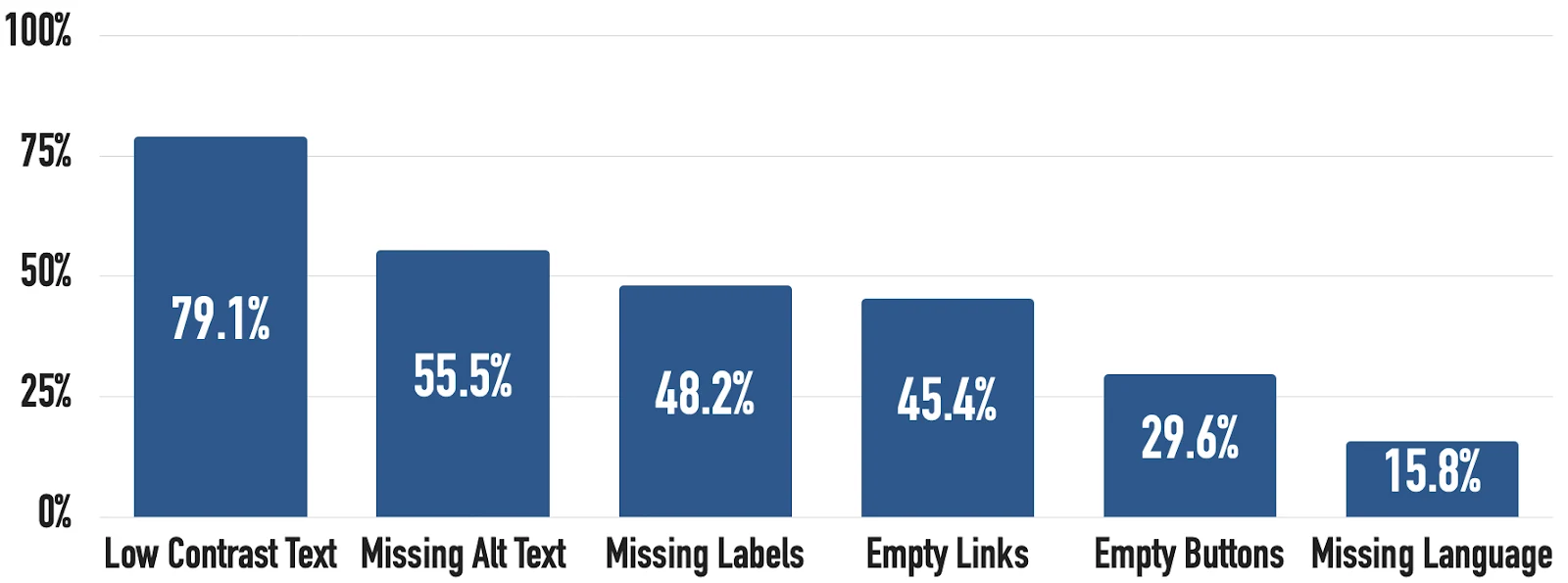
The WebAIM Million project found nearly 95% of home pages still have detectable WCAG 2 failures. The most common shortcomings include low contrast text (over 79%), missing alt text (56%), missing labels (48%), empty links (45%), empty buttons (30%), and missing language (15%):
As a website owner, it's crucial to keep web accessibility in mind. Here's why you should consider complying with WCAG:
- Reach more and more people. The World Health Organization (WHO) estimates that about 1.3 billion people (roughly 16% of the global population) experience significant disability. Accessibility expands your audience and respects your users' needs.
- Improve overall user experience (UX). Accessibility often leads to cleaner code, clearer content, better navigation, faster page load times, and stronger mobile experiences. Everyone benefits!
- Meet legal and policy requirements. In the U.S., the Americans with Disabilities Act (ADA) and Section 508 apply in different contexts. However, the Department of Justice finalized rules for state and local governments referencing WCAG 2.1 AA in 2024. See guidance on web accessibility and ADA.
Emily Ruby, owner of Abogada De Lesiones, recommends staying up-to-date with WCAG for website accessibility. "Accessible websites open doors to approximately 15% of the global population living with disabilities."
Ruby continues, "Beyond the ethical imperative, businesses that prioritize WCAG compliance position themselves as industry leaders while minimizing legal exposure. Smart companies recognize accessibility as both a growth opportunity and a protective measure."
Case studies and real-world examples
The best way to understand accessibility's impact is to see it in action. Across industries, organizations that embrace WCAG, whether in government, media, or business, are proving that accessible design leads to stronger, more inclusive digital products.
The examples below show how prioritizing accessibility creates smoother user experiences and long-term operational benefits:
- GOV.UK accessibility guidance and the UK Government Digital Service (GDS) blog built accessibility into their service standard and design system. They offer patterns, guidance, and continuous testing. Their public accessibility statements and guidance work as a practical blueprint for teams getting started.
- BBC's Global Experience Language (GEL) includes accessibility guidance and patterns. Their approach shows how large organizations can scale accessible design consistently across products.
- The U.S. Web Design System bakes accessible components and guidance into a reusable library. This reduces work for individual teams while raising the bar for public sector sites.
Adrian Iorga, Founder and President at 617 Boston Movers, shares what happened after his team aligned with WCAG 2.1. He says, "Our accessibility journey taught us that WCAG compliance enhances the experience for all users.
Iorga explains, "Features like clear navigation and consistent layouts benefited everyone, from customers using screen readers to those shopping on mobile devices in bright sunlight. The investment in accessibility became an investment in better design overall."
Wrapping Up
Accessibility isn't a checklist to slog through at the end. You build it in from the start, respecting how people actually use the web. WCAG gives you the framework; your team turns it into real, welcoming experiences.
Want to start this week? Try these:
- Run an automated scan on a key page and fix three issues.
- Do a five-minute keyboard-only test on your homepage.
- Add alt text to critical images and captions to your next video.
- Write an accessibility statement that sets your intent and roadmap.
If your site is complex or high-traffic, consider a deeper audit and bring in accessibility specialists. Testing with people who use assistive tech will teach you more in one session than a dozen automated reports.
Accessibility helps real people get real things done. No detours, no dead ends, just clear paths forward. If you're looking to develop or optimize your website with accessibility in mind, speak with a Cube Creative designer today!